The 5 Best Wedding Photo Apps to Share Photos with Your Guests (2026)

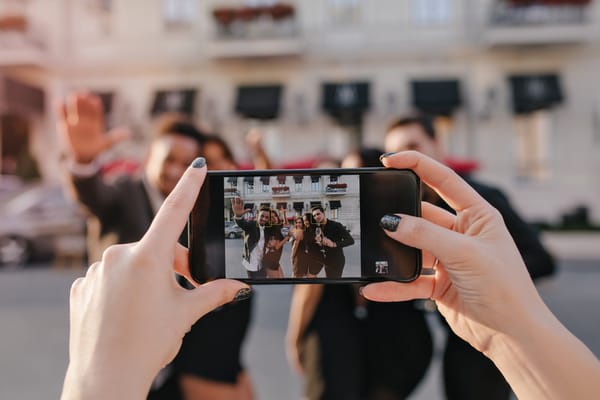
Your wedding day flies by in a blur of vows, toasts, and first dances. As the couple, you experience it from the centre of the action, but your guests are capturing incredible candid moments from every angle — the teary-eyed father during the ceremony, the flower girl tripping down the aisle, the impromptu dance-off at midnight. The question is: how do you collect all of those photos in one place without chasing down a hundred WhatsApp messages the next morning?
The answer is a wedding photo app. These apps let your guests upload their snapshots to a single shared album during (or after) the celebration, giving you a treasure trove of memories you would have otherwise missed. We tested the five most popular wedding photo sharing apps on the market in 2026 and compared them on the features that actually matter: ease of use for guests, pricing, whether or not a download is required, photo and video support, and long-term storage.
Here is what we found.
Why You Need a Wedding Photo App
Professional photographers are fantastic, but they can only be in one place at a time. A shared wedding photo app turns every guest into a photographer, which means you end up with hundreds of spontaneous, candid shots from angles your photographer never had. Beyond that, there are a few practical reasons to use one.
Convenience: Guests upload photos from their own phones. No email chains, no AirDrop confusion, no forgotten USB sticks. Centralized collection: Every photo and video lands in one shared album instead of being scattered across group chats. Unique perspectives: Your grandmother's proud selfie, your college roommate's blurry dance floor video — these are the moments that make a wedding album feel real. Cost savings: A wedding photo app costs a fraction of what physical disposable cameras cost, and you don't have to develop a single roll of film.
Quick Comparison: The 5 Best Wedding Photo Apps in 2026
| Feature | JoinMyMoment WINNER | Google Photos | POV Camera | Lense | WedShoots |
|---|---|---|---|---|---|
| App Download Required? | ❌ No — fully browser-based | ❌ No (web) / ✅ Yes (app) | ❌ No (uses App Clips / Instant Apps) | ❌ No — browser-based | ✅ Yes |
| QR Code Sharing | ✅ Yes — built-in, printable | ⚠️ Manual (generate your own) | ✅ Yes — with templates | ✅ Yes | ✅ Yes |
| Photos & Videos | ✅ Both included | ✅ Both | ⚠️ Photos only (video limited) | ⚠️ Video is a paid add-on | ✅ Both |
| Real-Time Gallery | ✅ Live shared album | ✅ Yes | ⚠️ Delayed reveal by default | ⚠️ Delayed reveal by default | ✅ Yes |
| Google Photos Integration | ✅ Auto-sync to Google Photos | N/A (it is Google Photos) | ❌ No | ❌ No | ❌ No |
| Guest POV Filters | ✅ Filter by individual guest | ❌ No | ❌ No | ❌ No | ❌ No |
| Guest Account Required? | ❌ No — just enter a name | ⚠️ Google account needed | ❌ No | ❌ No — enter name + optional email | ✅ Yes (app account) |
| Customization | ✅ Branding, limits, access control | ⚠️ Basic album settings | ✅ Stickers, backgrounds, text | ⚠️ Filter effects, limited | ⚠️ Moderate |
| Multi-Language | ✅ 7+ languages | ✅ Yes | ❌ English only | ⚠️ 4 languages | ⚠️ Limited |
| Free Tier | ✅ 10 guests free | ✅ 15 GB free | ✅ 10 guests free | ✅ 7 guests free | ⚠️ Limited free |
| 100 Guests Price | $19.99 | Free (if guests have Google) | ~$49.99 | ~$39.99 | Paid plan required |
| Photo Storage Duration | Indefinite + Google Photos sync | Unlimited (with storage quota) | Indefinite | 12 months | Varies |
| Works on All Devices | ✅ Any mobile browser | ✅ Yes | ✅ iOS & Android | ✅ Any mobile browser | ⚠️ iOS & Android app only |
1. JoinMyMoment — Best Overall Wedding Photo App
JoinMyMoment is the app we kept coming back to during testing, and the one we would recommend to any couple planning a wedding in 2026. The concept is simple: you create a "Moment," share a QR code with your guests, and they scan it with their phone's camera. No app download, no account creation, no friction. Within seconds, guests are snapping photos and videos that appear in a live shared album in real time.
What sets JoinMyMoment apart from every other app on this list is the combination of zero-friction guest access (fully browser-based, works on literally any smartphone), Google Photos integration (your entire wedding album auto-syncs to your Google Photos for unlimited long-term storage), and POV filtering (you can filter the gallery by individual guest to see the wedding through anyone's eyes). No other app offers all three.
Key Features
- No app download required — works in any mobile browser. Your 85-year-old grandmother can use it.
- Photos and videos included — no paid add-ons for video support.
- Google Photos auto-sync — the only wedding photo app with a native Google Photos integration. Your photos are backed up for life, not just 60 days.
- POV guest filters — see your wedding through the eyes of any individual guest.
- Real-time live gallery — or choose to reveal photos after the event.
- Full customization — set photo limits per guest (5 to unlimited), control visibility, restrict access by email domain, pause and resume anytime.
- Multi-language support — English, German, Spanish, French, Romanian, Chinese, Hindi.
- One-time payment — no subscriptions. Pay once, all features included.
- Free photo booth tool — bonus feature included at no extra cost.
Pricing
JoinMyMoment uses a straightforward, one-time pricing model based on guest count. There are no hidden fees, no recurring subscriptions, and no premium add-ons — every feature is included in every plan.
| Guests | Price |
|---|---|
| Up to 10 | Free |
| Up to 25 | $3.99 |
| Up to 50 | $12.99 |
| Up to 100 | $19.99 |
| Up to 150 | $29.99 |
| Up to 250 | $39.99 |
For a typical 100-guest wedding, you're paying $19.99 — once. That is significantly cheaper than buying 10 physical disposable cameras (which would cost $80–$120 before developing) and cheaper than every dedicated competitor at that guest count.
Why JoinMyMoment wins: It is the only wedding photo app that checks every single box — no downloads, QR code sharing, photos and videos included, live gallery, Google Photos backup, guest POV filters, multi-language support, and the most competitive pricing on the market. If you only try one app from this list, make it this one.
→ Try JoinMyMoment free
2. Google Photos — Best Free but Generic Option
Google Photos is the default choice many couples consider because it is free and most guests already have a Google account. You create a shared album, send the link, and guests can add their own photos.
It works, but it was not designed for weddings. There is no built-in QR code, no event structure, no disposable camera experience, and no way to control how many photos each guest uploads. Guests need a Google account to contribute, which can be a barrier for older guests or those who use iPhones without Gmail. It also lacks the "fun factor" that dedicated wedding photo apps bring to the table — there are no filters, no photo limits to encourage selectivity, and no delayed reveal option to build excitement.
Pros
- Free up to 15 GB of storage
- Most people already have a Google account
- Solid organization and search features
- Comments and likes on photos
Cons
- Guests must have a Google account to add photos
- No wedding-specific features (QR code, event timeline, photo limits)
- No disposable camera experience or fun factor
- No guest POV filtering
- Requires manual setup and link distribution
Best for:
Budget-conscious couples with tech-savvy guests who all use Google accounts. If your guest list includes grandparents or non-Google users, expect some friction.
3. POV Camera — Best for the Disposable Camera Aesthetic
POV Camera is a popular wedding photo app that leans into the nostalgia of physical disposable cameras. Guests scan a QR code and get a styled camera interface with customizable backgrounds, stickers, and text overlays. It uses Apple's App Clips and Android's Instant Apps to avoid a full download, which is a nice touch.
The signature feature is the delayed photo reveal — guests cannot see their photos until a timer you set expires (usually the next morning). It creates anticipation and makes the album reveal feel like a special event in itself. POV also offers a physical photobook add-on, which is a lovely keepsake option.
However, POV Camera is notably more expensive than JoinMyMoment. Video support is limited, there is no Google Photos integration, and the gallery does not support real-time viewing by default. It is also English-only, which can be a problem for international weddings.
Pros
- No app download needed (App Clips / Instant Apps)
- Strong disposable camera aesthetic and customization
- Fun delayed reveal feature
- Printable photobook add-on
- Photos stored indefinitely
Cons
- Significantly more expensive — ~$89.99 for 250 guests vs. $39.99 at JoinMyMoment
- Limited video support
- No Google Photos integration
- No real-time gallery by default
- English only
- No guest POV filtering
Best for:
Couples who prioritize the vintage disposable camera aesthetic and do not mind paying a premium for it. Less ideal for international or multilingual weddings.
4. Lense — Best for Delayed Photo Reveals
Lense is a Dutch-made disposable camera app with over 90,000 events under its belt. Like JoinMyMoment, it is browser-based — guests scan a QR code and start capturing instantly without downloading anything. The standout feature is the flexible photo reveal system: you can choose an immediate reveal, a delayed reveal at a time you set, or keep photos hidden until you manually release them.
Lense's biggest drawback is that video support is a paid add-on, not included in the base price. Photo storage lasts 12 months (generous), but there is no Google Photos sync to keep them permanently. The free tier only supports 7 guests, which is barely enough for a rehearsal dinner, let alone a wedding.
Pros
- No app download for guests
- Flexible delayed reveal options
- 12 months of photo storage
- Vintage filter effects
- 90,000+ events — proven track record
Cons
- Video is a paid add-on — not included in the base price
- Free tier limited to just 7 guests
- No Google Photos integration
- No guest POV filtering
- Some app store reviews report bugs on specific devices (Google Pixel)
- Limited language support (4 languages vs. JoinMyMoment's 7+)
Best for:
Couples who love the idea of a "big reveal" the morning after the wedding and do not need video support.
5. WedShoots — Best for Social Interaction Features
WedShoots is one of the original wedding-specific photo apps. It offers a full social experience: guests can comment on, like, and rate photos, turning the album into an interactive guestbook of sorts. The app organizes photos by "moments" (ceremony, reception, party), which helps structure the album nicely.
The biggest downside is that WedShoots requires guests to download a dedicated app. In our experience, this creates the most friction of any solution on this list. Older guests and those with full phone storage often simply do not participate. In a world where browser-based alternatives exist, requiring an app download feels like an unnecessary barrier.
Pros
- Built specifically for weddings
- Social features: likes, comments, ratings on photos
- Organization by wedding moments
- QR code for joining
- Private gallery options
Cons
- Requires guests to download an app — biggest friction point
- No Google Photos integration
- No guest POV filtering
- Less modern interface compared to newer competitors
- Premium features require a paid plan
Best for:
Couples with a younger, tech-forward guest list who will not mind downloading an app and enjoy the social interaction features.
Full Pricing Comparison (100-Guest Wedding)
Since most weddings have roughly 100 guests, here is what each app would cost for a 100-person event:
| App | Price (100 Guests) | Video Included? | Download Needed? | Google Photos Sync? |
|---|---|---|---|---|
| JoinMyMoment BEST VALUE | $19.99 | ✅ Yes | ❌ No | ✅ Yes |
| Google Photos | Free | ✅ Yes | ❌ No (web) | N/A |
| POV Camera | ~$49.99 | ⚠️ Limited | ❌ No | ❌ No |
| Lense | ~$39.99+ | ⚠️ Paid add-on | ❌ No | ❌ No |
| WedShoots | Paid plan | ✅ Yes | ✅ Yes | ❌ No |
Google Photos is the only truly "free" option, but as we covered, it comes with significant tradeoffs in guest experience and functionality. Among the dedicated wedding photo apps, JoinMyMoment is the clear value leader — you get more features for less money, with no hidden add-ons.
How to Set Up Your Wedding Photo App (JoinMyMoment Example)
Setting up a shared wedding album in JoinMyMoment takes less than two minutes. Here's the quick version:
- Create a free account at joinmymoment.com — you can also sign in with Google.
- Create your Moment — give it a name (e.g., "Sarah & Tom's Wedding"), set the date, guest limit, and how many photos each guest can take.
- Customize your settings — choose whether guests can see all photos or only their own, set access restrictions, enable the Google Photos sync.
- Share the QR code — print it on cards, display it on tables, or include it in your digital wedding invitations. Guests scan and they're in. No downloads, no accounts.
- Enjoy the memories — watch your shared album fill up in real time, or save the reveal for after the event. Download everything whenever you're ready.
Where to Put the QR Code on Your Wedding Day
You've created your shared album — now you need to make sure every guest actually uses it. Strategic QR code placement is key:
On each table: Print the QR code on small cards or table stands. This is the most effective placement because guests have downtime between courses and will naturally reach for their phones. At the welcome table: A larger sign with the QR code and a short instruction ("Scan to capture memories!") ensures everyone sees it when they arrive. Near the photo booth or dance floor: Guests are already in a photo-taking mood — remind them to use the shared album too. In your digital invitations: Include the QR code or link before the wedding so guests can familiarize themselves with the process in advance. In the wedding program: A small mention with the QR code keeps it visible throughout the ceremony and reception.
Keep the instructions short and clear. Something like "Scan this code to share your photos — no app needed!" works perfectly.
Tips for a Successful Shared Wedding Album
Inform guests in advance. Mention the shared album in your invitations, wedding website, or a group message before the big day. The more people know about it ahead of time, the more participation you'll get.
Test it at your rehearsal dinner. Most of these apps offer a free tier. Use your rehearsal dinner as a dry run so guests (especially older family members) can get comfortable with the QR code scanning process before the wedding.
Set a reasonable photo limit. Unlimited photos sound great, but 25 per guest often produces better results — it encourages guests to be selective and capture their best moments rather than uploading every blurry shot.
Assign a "photo champion." Ask your maid of honour, best man, or a trusted friend to remind guests throughout the evening to scan the QR code and share their photos.
Thank your guests. After the wedding, share a favourite photo from the album with a thank-you note. It closes the loop and makes guests feel their contributions were valued.
Our Final Verdict: The Best Wedding Photo App in 2026
🏆 Winner: JoinMyMoment
After testing all five apps, JoinMyMoment is the clear winner for 2026. It is the only wedding photo app that combines browser-based access (no downloads), real-time photo and video sharing, Google Photos auto-sync for permanent storage, guest POV filtering, multi-language support, and genuinely affordable one-time pricing — all without a single paid add-on. It simply does everything the other apps do, and more, at a lower price.
Google Photos is a solid free fallback, but it lacks the wedding-specific magic. POV Camera and Lense are good products with loyal followings, but they cost more and offer less (no Google Photos sync, limited video, fewer languages). WedShoots pioneered the category but is held back by requiring an app download.
For any couple who wants the easiest, most feature-rich way to collect every guest's photos and videos from their wedding day, JoinMyMoment is the app to beat.
→ Get started free at JoinMyMoment.com
Frequently Asked Questions About Wedding Photo Apps
What is the best wedding photo app?
Based on our comparison of features, pricing, and guest experience, JoinMyMoment is the best wedding photo app in 2026. It offers browser-based access (no app download), Google Photos integration, real-time shared albums, video support, and the most competitive pricing on the market.
Do guests need to download an app?
It depends on the app. JoinMyMoment, Lense, and POV Camera all work without a download — guests simply scan a QR code. WedShoots requires a dedicated app download. Google Photos works via the web, but guests need a Google account.
How much does a wedding photo app cost?
Prices vary by guest count. For a 100-guest wedding, JoinMyMoment costs $19.99 (one-time), while POV Camera and Lense cost $40–$50+. Google Photos is free but requires Google accounts. Most apps offer a free tier for small groups (7–10 guests).
Can I use Google Photos as a wedding photo app?
You can, and it is free, but Google Photos was not designed for weddings. There are no QR codes, no photo limits, no event structure, and guests must have a Google account. For a dedicated wedding experience, a purpose-built app like JoinMyMoment is a better choice — and it syncs to Google Photos anyway.
What is the difference between a disposable camera app and a wedding photo app?
A disposable camera app mimics the experience of a physical disposable camera — guests get a limited number of shots and photos are often revealed with a delay. A wedding photo app is a broader category that includes real-time shared albums, video support, and more. JoinMyMoment functions as both, offering photo limits and reveal controls alongside a full-featured live gallery.