The Best Wedding Photo App of 2026: Why JoinMyMoment Wins by a Mile


You've spent months picking the venue, agonizing over the flowers, tasting approximately forty-seven cakes. The last thing on your mind is probably a photo-sharing app. But here's the thing, your professional photographer will hand you a gorgeous gallery of posed portraits two months after the wedding. What they won't capture is your cousin doing the worm at 11pm, your grandma laughing so hard she cried, or the look on your best friend's face when you walked down the aisle.
Those moments live on your guests' phones. And most of the time, they stay there forever, scattered across WhatsApp groups, lost in iCloud, or never sent at all despite everyone's best intentions.
The wedding photo app was supposed to solve this. And in 2026, there are finally some genuinely good options. But there's also a lot of noise. Apps that make guests download software they'll delete the next day. Apps that cut off photo uploads after your event ends. Apps that charge you by the photo or drown you in confusing tiers.
After testing them all, one app stands so far above the rest that the comparison barely feels fair.
It's called JoinMyMoment, and if you're getting married in 2026, you need to know about it.
What to Actually Look For in a Wedding Photo Sharing App
Before we get into the rankings, let's talk about what actually matters when you're choosing one of these tools, because the marketing pages all look similar and the differences only show up when real guests are trying to use them at a real event.
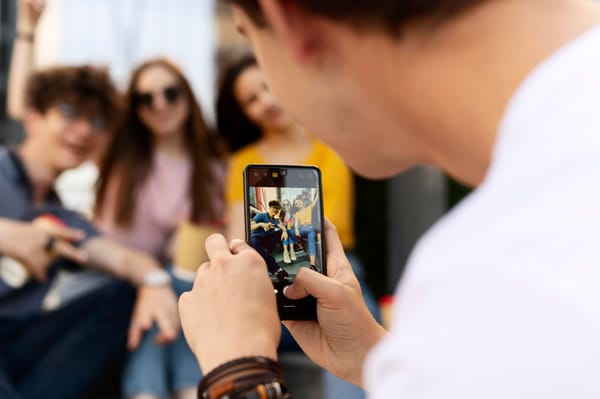
Guest friction is everything. A wedding has 18-year-olds and 78-year-olds. It has people who've never heard of a QR code and people who'll scan it before you even ask. If your photo app requires a download, a sign-up, a password, or a confirmation email, you've already lost half your guest list. People are excited in the moment, but they're also holding a glass of prosecco and trying to find their seat. The app that wins is the one that works in three taps, on any phone, with no friction.
Real-time uploads change the atmosphere. There's something magical about seeing photos appear live during a reception. People start taking better pictures when they know others are watching. It creates a shared energy, guests become participants instead of just attendees.
Video matters now. In 2026, a photo-only solution feels dated. The toast, the first dance, the chaotic exit, these are moments that need video. Any app you consider should handle both photos and video without making it complicated.
Privacy. You don't want your wedding photos indexed by Google or accessible to strangers. Event-specific, private galleries are non-negotiable.
Price. Wedding budgets are already stretched thin. A great photo app should cost less than a single floral centerpiece.
With that in mind, here's how the major players stack up.
The Contenders: Tested and Compared
WedPics
WedPics has been around long enough to be considered a legacy app in this space, and it shows. It was genuinely innovative when it launched, the concept of a dedicated, private wedding photo album that guests could contribute to was exciting at the time. But in 2026, it's showing its age.
The biggest issue is the required app download. Every guest needs to install WedPics on their phone before they can contribute photos. At a wedding with 120 guests, you're realistically going to lose 40-50% of potential uploads right there. Older guests either can't figure it out, don't have space on their phones, or simply won't bother. The app itself is fine once installed, but that install barrier is a serious problem.
It also lacks any meaningful video support, and the free tier is so limited it's barely worth mentioning. For a wedding of any real size, you're paying, and the pricing has crept up considerably over the years.
Verdict: Once a pioneer, now a relic. The app-required model is simply too much to ask of wedding guests in 2026.
Wedding Party App
Wedding Party is probably the most recognized name in this category, and it's not without its merits. The interface is clean, the concept is solid, and for tech-savvy wedding parties it can work well.
The problems start the moment you zoom out and think about your actual guest list. Again, mandatory app download. This is the hill these older apps are choosing to die on, and it's frustrating. Wedding Party has had years to build a web-based option and hasn't prioritized it.
Beyond that, the app leans heavily into social-media-style feeds and engagement features that some couples love and others find overwhelming or distracting. If you want something clean and focused purely on capturing memories, the feature bloat can feel like noise.
The pricing is mid-range, the experience is decent if everyone actually downloads the app, and the support is responsive. But "decent if everyone downloads the app" is a pretty big asterisk.
Verdict: Better than WedPics in some ways, still stuck behind the download wall. Fine for tech-comfortable couples with younger guest lists; risky for everyone else.
Capsule
Capsule is the new-school AI-powered entrant that's been getting buzz lately. The pitch is compelling: it uses AI to curate the best photos from your event, organize them, and create a highlight reel automatically. For couples who want a hands-off experience, the appeal is obvious.
In practice, though, Capsule has real limitations for weddings specifically. The AI curation, while impressive in demos, is hit or miss with large groups, low-light reception photos, and the sheer chaotic volume of a 6-hour wedding event. You end up with a polished highlight reel, but you lose the authentic, unfiltered moments in the process, and those are often the ones you actually want.
It also still requires a download for full functionality, and the pricing is on the higher end for what you get. The AI features feel more like a future product than a finished one.
Verdict: Genuinely interesting technology, not quite there yet for weddings. Worth watching in a year or two.
POV Camera App
POV Camera positions itself as a creative, multi-perspective capture tool, and it does some genuinely clever things, letting guests record short first-person video clips gives you a collective "day-in-the-life" feel that's different from any other app in this space.
The experience is fun and the results can be memorable. The challenge is that it works best when guests are actively engaged and willing to use it intentionally. At a wedding, where people are distracted and busy, that kind of active participation is hard to guarantee consistently.
It's also more narrowly focused on video and POV clips, which means it doesn't replace a full photo-sharing solution, you'd need to pair it with something else to get complete coverage.
Verdict: A fun creative tool, but more of a complement than a solution. Not a standalone wedding photo app.
Kululu
Kululu is a newer contender in the event photo space, with a simple, QR-based approach that at least gets the fundamentals right. Guests scan a code, land in a shared album, upload photos, no app required.
The concept is sound, but the execution still lags. The interface feels unpolished in places, the video support is limited, and the feature set is fairly bare-bones. It does the job at a basic level, but "does the job" isn't the bar you want for your wedding day.
The pricing is reasonable, and for a very small, casual event it might be perfectly adequate. For a wedding, where everything needs to work seamlessly and look beautiful, it doesn't inspire confidence.
Verdict: Promising direction, early-stage execution. Not ready to trust with a wedding.
And Then There's JoinMyMoment
I'll be honest, when I first encountered JoinMyMoment, I expected another mid-tier solution dressed up in good marketing. What I found instead was an app that has quietly solved every single problem the competitors are still struggling with.
Let me walk through what makes it special.
No App Download. Ever. For Anyone.
This is the headline feature, and it's bigger than it sounds. JoinMyMoment is entirely browser-based. Guests don't download anything. They don't create accounts. They scan a QR code, or click a link, and they're in. Your photo album is live, accepting uploads, right there in the browser.
This works on every phone. Android, iPhone, old Samsung Galaxy, your aunt's ancient iPhone 8 that she refuses to upgrade. If it has a camera and a browser (which every smartphone does), it works with JoinMyMoment.
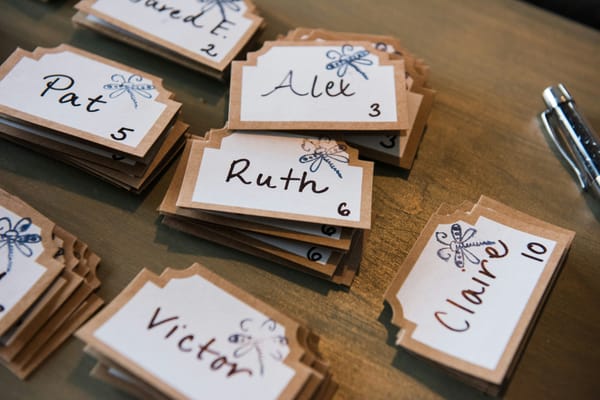
The difference this makes at a real wedding is hard to overstate. I've seen couples set up beautiful custom QR code table cards, and watch in real time as guests of every age just... scan and start uploading. No confusion, no support requests, no "I couldn't figure out how to install the app." It just works.
Photos and Videos, Beautifully Simple
JoinMyMoment handles both photos and videos natively. Guests can upload still photos from their camera roll, take new ones directly through the app, or record short video clips, including Live Video Moments, 15-second spontaneous clips that are honestly some of the most charming content that comes out of a wedding.
Imagine having a video of the toast from twelve different angles. Or your first dance captured not just by your videographer, but by three guests standing at different spots around the room. That's what JoinMyMoment makes possible.
Voice Messages — a Feature Nobody Else Has
This one stopped me in my tracks the first time I saw it. JoinMyMoment lets guests leave voice messages attached to your event album. Think of it as an audio guestbook built into your photo experience.
Years from now, you'll be able to hear your grandmother's voice wishing you well. Your best friend's toast. Your little niece saying something incomprehensible but completely adorable into the microphone. No other app in this category offers anything like it.
Real-Time Uploads Create a Living Album
As guests upload during the reception, everything appears in the shared album in real time. Some couples display the live feed on a screen at the venue, guests see their photos pop up, they take more photos, the energy builds. It turns passive attendees into active contributors.
Google Photos Sync — Zero Extra Steps
Once the night is over, your entire album can flow directly into Google Photos. Organized, backed up, searchable. No downloading a zip file, no manually sorting through hundreds of uploads. It just lands in your Google Photos, ready to be shared with family or browsed at midnight six months later when you're feeling nostalgic.
Multilingual — for Real International Weddings
JoinMyMoment supports 20+ languages. The interface automatically adapts. If you have guests traveling from Germany, Brazil, Japan, and Romania (as many couples do these days), every single one of them sees the app in their own language. This is not a small detail, it's the kind of thoughtfulness that separates a product built for real people from one built for a marketing brochure.
The Pricing Will Genuinely Surprise You
Here's where JoinMyMoment goes from "excellent app" to "honestly, why isn't everyone using this?"
The pricing is absurdly reasonable for what you get.
- Up to 10 guests: completely free. No credit card, no trial period, no catch.
- 25 guests: $3.99
- 50 guests: $12.99
- 100 guests: $19.99
- 150 guests: $29.99
- 250 guests: $39.99
- 500 guests: $45.99
Read those numbers again. A wedding with 100 guests, fully covered, unlimited photos, voice messages, Google Photos sync, real-time uploads, video support, for a very low price.
That's less than a single bottle of Champagne at most weddings. It's a rounding error in a wedding budget. And there's a 10% discount for first-time users, so you're paying even less.
Compare that to WedPics, Wedding Party, or Capsule, where you're looking at significantly higher costs, often with more restrictions, not fewer.
The Live Video Moments and Unlimited Photos are available as optional paid upgrades if you want them, and they're still priced in a way that feels genuinely fair rather than predatory. The base experience you get for free (up to 10 guests) is the same quality as the paid tiers, they're not hobbling it to force an upgrade.
This is a pricing model built for real couples with real budgets.
How It Actually Works at a Wedding
Setting up JoinMyMoment takes about ten minutes. You create your Moment, give it a name, set a date, and configure a few preferences. You get a QR code that you can print, add to table cards, or simply share as a link in your wedding WhatsApp group.
During the wedding, the QR code lives on each table, or displayed on a sign near the entrance, or projected on a screen. Guests scan it when they want to upload. Some do it immediately after a funny moment. Some batch-upload ten photos at once during the dessert course. Some drop a voice message during cocktail hour.
The host (you, or a trusted friend) has a private dashboard where you can see everything as it comes in, moderate if needed, and download the full album at any time.
After the wedding, you have a complete, private album, built not just by your photographer, but by every single person who loved you enough to show up on your day.
The Verdict
In a category full of apps that are either outdated, overpriced, or simply don't work well for mixed-age real-world weddings, JoinMyMoment is a clear generation ahead.
It removes every point of friction. It works for every guest. It captures not just photos, but video and voice, the full sensory memory of a day. It syncs effortlessly. It's private and secure. And it costs less than you'd spend on a pretty centerpiece.
The competitors have names you might recognize. But recognition isn't the same as quality, and in 2026, JoinMyMoment has lapped the field.
If you're getting married this year, do yourself one favor that costs almost nothing: go to joinmymoment.com, create a free Moment, and try the live demo. Spend five minutes with it. You'll understand immediately why this is the app couples are talking about in 2026.
Your photographer will capture the portraits. JoinMyMoment will capture everything else.
Quick Comparison Table
| Feature | JoinMyMoment | WedPics | Wedding Party | Capsule | POV Camera |
|---|---|---|---|---|---|
| No app download required | ✅ | ❌ | ❌ | ❌ | ❌ |
| Photo sharing | ✅ | ✅ | ✅ | ✅ | ⚠️ |
| Video sharing | ✅ | ❌ | ⚠️ | ✅ | ✅ |
| Voice messages | ✅ | ❌ | ❌ | ❌ | ❌ |
| Real-time uploads | ✅ | ✅ | ✅ | ❌ | ✅ |
| Google Photos sync | ✅ | ❌ | ❌ | ❌ | ❌ |
| 20+ language support | ✅ | ❌ | ❌ | ❌ | ❌ |
| Free tier available | ✅ | ⚠️ | ⚠️ | ❌ | ⚠️ |
| 100-guest pricing | $19.99 | $$$+ | $$$+ | $$$$+ | N/A |
| Works on all phones | ✅ | ⚠️ | ⚠️ | ⚠️ | ⚠️ |
Frequently Asked Questions
Do guests need to create an account to upload photos? No. Guests scan a QR code or click a link and they're in instantly. No account, no download, no sign-up of any kind.
What happens to my photos after the event? Your album stays accessible for as long as you need it. You can download everything at any time, and with Google Photos Sync enabled, your photos automatically flow into your Google Photos account.
Is there really a free plan? Yes. Up to 10 guests is completely free, forever, no credit card needed. For larger events, the paid tiers start at $3.99.
What if some of my guests are older and not comfortable with technology? JoinMyMoment was designed with this in mind. Because it's browser-based, anyone who can take a photo and open a link can use it. No app stores, no accounts, no passwords.
Is my wedding album private? Yes. Your Moment is private and only accessible to people you share the QR code or link with.
Ready to create yours? Visit joinmymoment.com and set up your free Moment in minutes. Your first 10 guests are always free, and for weddings of any size, you'll be hard-pressed to find better value anywhere in 2026.