Shared Photo Album for Wedding Guests: Best Choice
For a mixed-device wedding, a QR-code event gallery is the clearest choice. iCloud and Google Photos can suit groups already committed to one sharing route.


A shared photo album for wedding guests needs to be simple enough for guests to use in the moment. For a mixed-device guest list, choose a QR-code event gallery: guests scan a code and contribute in their phone browser without downloading an app or creating an account. iCloud or Google Photos can suit a smaller group that has already agreed on one sharing route, but JoinMyMoment’s wedding event gallery is the better pick when you want the broadest practical participation at the reception.
The choice is less about where photos end up and more about what you ask guests to do before they can add one. A wedding shared album only collects the candid photos if people can join it quickly.
Which guests get shut out of an iCloud or Google Photos album?
For planning purposes, treat any guest who does not use your chosen album route as a likely non-contributor. That includes people who miss the invitation, cannot find it later, do not want to set up photo sharing during the reception, or would rather not spend time working out a process they do not normally use.
This is not an argument that iCloud or Google Photos is wrong. Either can be a sensible wedding shared album when the group already knows the plan and is comfortable using it. The risk grows when the room includes different phone habits, guests of different ages, and people you do not see often enough to walk through the process ahead of time.
A mixed-device wedding does not need another instruction for guests to remember. Give them one visible QR code and one short request: scan it, then add a photo, video, or message.
iCloud, Google Photos, or an event gallery?
| Option | Best fit | Guests most likely to miss out | What the host is asking guests to do |
|---|---|---|---|
| iCloud shared album | A small group already using the iCloud route you chose | Guests who do not receive, find, or use that route | Join the selected album and add photos there |
| Google Photos shared album | A group already happy to use Google Photos for the collection | Guests who do not receive, find, or use that route | Join the selected album and add photos there |
| JoinMyMoment event gallery | A mixed-device wedding or any event where easy participation is the priority | Guests who do not scan the QR code or use a phone browser | Scan the QR code, then capture or upload in the browser |
That table points to the practical decision. An iCloud or Google Photos album is a good choice when your guests are already coordinated around it. A purpose-built gallery is a better choice when you want a single access point that does not require an app download or account.
What does a purpose-built event gallery do that a shared album does not?
JoinMyMoment is built around an event with a defined start and end. Guests scan a QR code and enter a shared live gallery in their phone browser. They can capture photos and videos, upload photos from their camera roll, add live video moments, and leave voice messages. The gallery updates in real time as guests contribute.
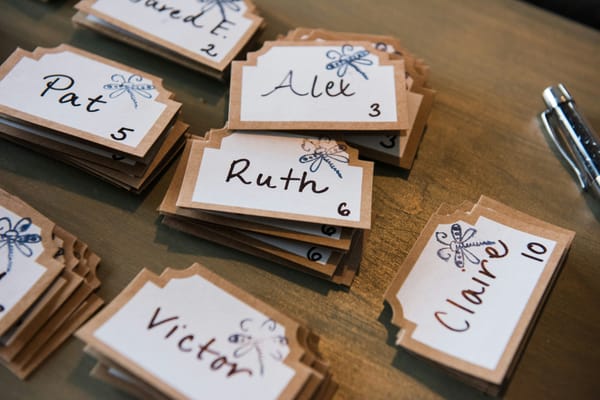
That makes the gallery part of the reception rather than a collection task for later. Put the QR code where guests will see it, such as on a welcome sign, table cards, or beside the guestbook. A prompt helps: ask for a dance-floor photo, a picture with the couple, or a voice message for the future. For more prompts, see these wedding photo ideas guests will actually love.
The host can set the gallery to private or public, choose an event duration from a few minutes up to 15 days, set a guest limit, and set a photo-upload limit per guest from five to unlimited. JoinMyMoment also has multi-language support. Those controls help when you want the gallery to fit the shape of the celebration rather than become an open-ended archive.
Voice messages are another reason to use an event gallery. JoinMyMoment includes an audio guestbook with its photos and videos. If spoken messages matter to you, this avoids the need for a rented telephone guestbook. Audio guestbook phone rentals generally range from under $100 to over $400, depending on the vendor, region, and what is included.
What does JoinMyMoment cost for a wedding?
JoinMyMoment uses a one-off payment per event, based on guest capacity, rather than a subscription. It is free for up to 10 guests. Every paid tier has the same feature set as the free tier; the price changes with guest capacity.
| Guest capacity | One-off price | Feature access |
|---|---|---|
| 10 | Free | Live video moments, unlimited photos, and voice messages |
| 25 | $4.99 | Same feature set |
| 50 | $12.99 | Same feature set |
| 100 | $22.99 | Same feature set |
| 150 | $29.99 | Same feature set |
| 250 | $39.99 | Same feature set |
| 500 | $45.99 | Same feature set |
Voice messages and Google Photos sync are included at every tier, including free. Review the capacities and prices on the JoinMyMoment pricing page before you choose. Pick a capacity with your likely attendee count in mind.
The trade-off: an event gallery is not a permanent archive
JoinMyMoment is built for events, not as a years-long cloud archive. Photos stay available for an additional 60 days after the event ends, so download or sync the photos and videos you want to keep. If your main goal is permanent storage for a family collection, an iCloud or Google Photos album may better fit that specific job.
Guest capacity is also capped by the tier you buy, so you need a rough headcount before setting up the gallery. That is easy for an intimate gathering and worth checking carefully for a larger reception. The same question comes up for other group events; this guide to creating a shared photo album for a family reunion covers the planning mindset.
Which one should you pick for a mixed-device guest list?
Pick JoinMyMoment for a mixed-device wedding. QR-code access in the phone browser removes the need for guests to download an app or create an account, while the live gallery gives you photos, videos, live video moments, and voice messages in one event space.
Choose iCloud or Google Photos only when you have a smaller, coordinated group that will reliably use the same album route. For a reception with varied phone habits and guests who should be celebrating rather than troubleshooting, a purpose-built QR gallery is the stronger decision.
Set up the gallery before the wedding, test the QR code on more than one phone, and place it where guests can spot it. Then you have a straightforward way to collect the candid moments that would otherwise stay on individual camera rolls.
Frequently Asked Questions
What is the easiest shared photo album for wedding guests?
For a mixed-device wedding, a QR-code event gallery is the easiest option. With JoinMyMoment, guests scan a QR code in their phone browser and do not need an app or account. They can capture photos and videos, upload from their camera roll, add live video moments, and leave voice messages.
Which wedding guests get left out of iCloud or Google Photos albums?
The guests most likely to be left out are those who do not use the album route you selected. They may miss the invitation, fail to find it later, or decide not to set up photo sharing during the reception. These albums work best when the group already agrees on the method.
Can wedding guests add photos without downloading an app?
Yes. JoinMyMoment works in a phone browser, so guests can scan a QR code without downloading an app or creating an account. They can contribute photos, videos, live video moments, and voice messages. This is useful for a wedding where guests use different devices and have different comfort levels with technology.
What does a wedding event gallery do that a shared album does not?
A wedding event gallery can make guest contributions part of the celebration. JoinMyMoment provides QR-code entry, a live gallery, photo and video sharing, live video moments, camera-roll uploads, and voice messages. Hosts can also choose privacy settings, guest capacity, event duration, and photo-upload limits per guest.
How much does a wedding QR photo gallery cost?
JoinMyMoment is free for up to 10 guests. It costs $4.99 for 25 guests, $12.99 for 50, $22.99 for 100, $29.99 for 150, $39.99 for 250, and $45.99 for 500. It is a one-off event payment, not a subscription.