How to Get Good Photos at a Birthday Party: Shot List
Use a timed shot list, put guests in charge of candids, and collect everything in one shared gallery.
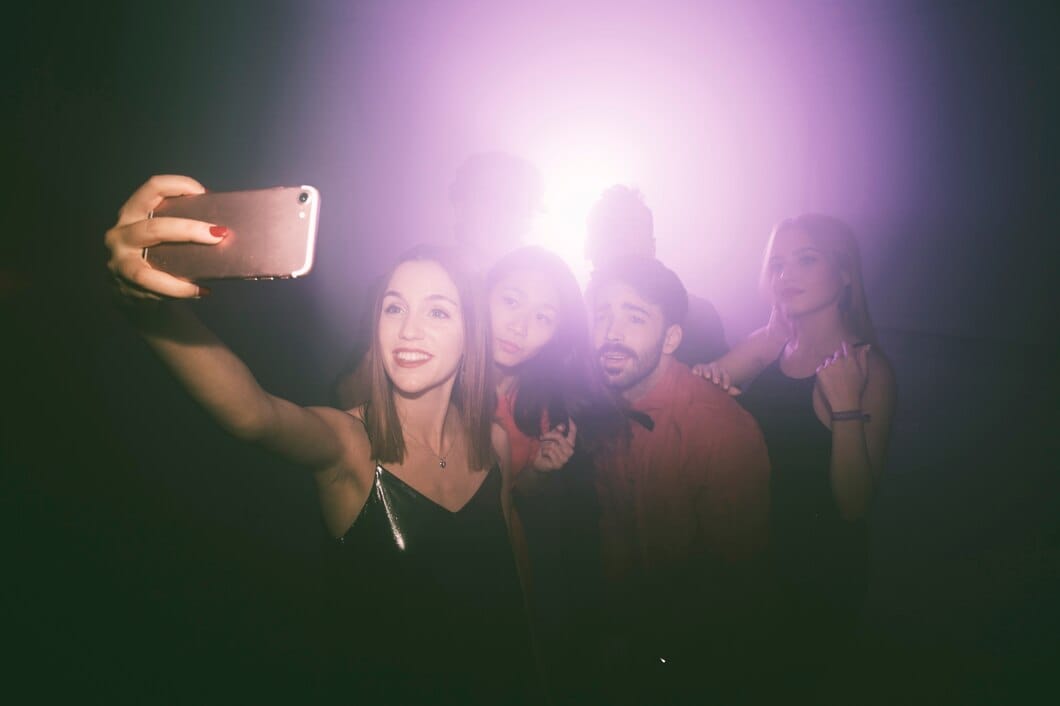
To get good photos at a birthday party, plan a short shot list around key moments, take group photos before people scatter, and give guests one easy place to add candid photos. Prioritise arrival hugs, the cake reveal, old friends talking, and the final guests of the night alongside the posed photos.
You do not need to direct everyone all evening. Pick a few moments in advance, ask a handful of guests to cover them, and make sharing simple.
What birthday party photos does everyone forget?
Most hosts remember the cake, a group shot, and a photo of the birthday person. The gaps appear later: no photo of the room before it filled up, the card table, the friend who brought old photos, or grandparents talking before the music got louder.
Put these on your birthday party photo ideas list:
- The room before guests arrive: Photograph decorations, place settings, food, cake, signs, and the view from where people will gather. Do this shortly before the stated start time.
- Early arrivals: Capture greetings, coats coming off, and the first conversations before the room becomes busy.
- The birthday person with the host: If those are different people, this pairing is easy to miss.
- Each generation together: Get grandparents, parents, children, and cousins before the cake, while everyone is still there.
- The person who made the effort: Photograph the baker, a friend who travelled, the person who made a speech, or the relative who brought family pictures.
- Hands and details: Take hands holding drinks, candles being lit, a gift opening, and someone writing in a card. These photos add context between portraits.
- The aftermath: Photograph half-eaten cake, wrapping paper, the birthday person at the end of the night, and the last guests. These can be especially memorable milestone birthday photos.
If children are attending, get any posed family photos early. After that, let them play and photograph them naturally.
Use this timed shot list instead of chasing photos all night
Attach photo jobs to times. If you wait for a convenient moment, some guests may have left before you organise the group photo.
| When | What to photograph | Who should take it |
|---|---|---|
| Before the start | Empty room, food, cake, decorations, table details | Host or one designated friend |
| First 30 minutes | Arrival hugs, couples, first drinks, early conversations | Two guests with phones |
| Before food or cake | Full group, family groups, birthday person with key people | One confident organiser |
| During speeches | Speaker, birthday person's reaction, listeners laughing or crying | Guests on different sides of the room |
| Cake moment | Candles, faces around the cake, blowing out, applause | Several guests |
| Last 30 minutes | Dancing, quieter conversations, final guests, the aftermath | Everyone |
Take the group photo before the cake. Say, “Can I steal everyone for two minutes before we eat?” Take one photo where people look at the camera, then one where they cheer, wave, or squeeze in.
For a 40th, 50th, 60th, or another milestone, add photos with people from different chapters of the birthday person's life. Get school friends, work friends, family, and neighbours in smaller groups. A large group photo records who attended; the smaller groups show connections.
How do you get candids without a photographer?
Give three people a clear brief instead of announcing, “Take lots of photos.” Ask one person to cover arrivals, one to cover conversations and food, and one to cover the cake and later moments. They need permission to photograph reactions rather than only posed groups.
Then give everyone one upload route. JoinMyMoment lets guests scan a QR code in their phone browser and add photos, videos, and voice messages without downloading an app or creating an account. Put the QR code by the entrance, drinks table, and cake.
Ask guests to upload while the party is happening rather than waiting until the following week. The shared gallery updates in real time, and guests can upload a photo from their camera roll if they took it before noticing the QR code.
Add one sentence to the invitation: “Please scan the photo QR code when you arrive and add your favourite photo before you leave.” For QR-code wording and placement ideas, read Event Photo Sharing Without App Download: QR Guide.
Make phone photos look better with two quick fixes
Set up the cake before guests arrive. Put it where faces have light from the front or side, rather than against a bright window or beneath a single overhead bulb. For an outdoor party, take the main group photo in open shade rather than direct midday sun. Find more setup ideas in How to Get Great Photos at an Outdoor Event.
For indoor parties, do not turn off every light for the candles. Leave some room light on so faces remain visible. After the singing, ask people to hold still briefly before the cake is cut.
Then change your distance. Take one wide photo that shows the room, then move closer for faces and reactions. Moving closer usually gives a clearer result than using zoom from across a crowded room.
Give guests prompts that produce better party photos
A blank request can produce repeated photos of the same cake. Put two or three prompts beside the QR code:
- “Add a photo of someone laughing.”
- “Get a picture with the birthday person if you have not already.”
- “Upload your view of the cake moment.”
- “Leave a voice message with a favourite memory.”
Voice messages work well for milestone birthdays because they preserve stories alongside the images. JoinMyMoment includes voice messages at every tier, including its free option for up to 10 guests. It uses one-off event pricing by guest capacity: 25 guests costs $3.99, 50 costs $12.99, and 100 costs $19.99. See JoinMyMoment pricing by guest count before setting up the gallery.
Plan for sharing after the party
JoinMyMoment is built for events with a defined start and end, not as a permanent photo archive. Guest capacity is capped by the tier, so set a rough headcount before choosing one. Photos remain available for an additional 60 days after the event ends; download what you want to keep or use Google Photos sync.
After the party, save the family groups, speeches, and favourite candid moments first, then make an album people can revisit. Organize and Share Photos Effortlessly After Your Event explains how to bring the collection together.
Take room photos before anyone arrives, call the group together before cake, appoint three unofficial photographers, and display a QR code where guests will see it. That combination gives you the classic birthday photos and the small moments you would otherwise miss.
Frequently Asked Questions
How do I get candid photos at a birthday party?
Ask three guests to cover small photo jobs, then let everyone add pictures to a shared QR gallery. Give each person a time or area, such as arrivals, conversations, or the cake. Specific jobs create a broader collection than a general request for photos, and a QR code gives guests one place to upload.
What photos should I take at a milestone birthday party?
Photograph the birthday person with people from different parts of their life, then capture arrival hugs, room details, speech reactions, candles, and the final part of the night. Take the full group photo before cake. Voice messages with favourite memories can also add stories that photos alone do not record.
When should you take group photos at a birthday party?
Take group photos before food, cake, or the main activity. Guests are more likely to be present, and you can finish the organised part quickly. Ask for two minutes, take one traditional photo and one relaxed version, then let people return to the party without repeated interruptions.
How can guests share birthday photos without downloading an app?
Use a browser-based QR gallery. With JoinMyMoment, guests scan the code and can add photos, videos, or voice messages from their phone browser without creating an account or downloading an app. Put the code at the entrance, near drinks, and beside the cake so guests have several chances to scan it.